
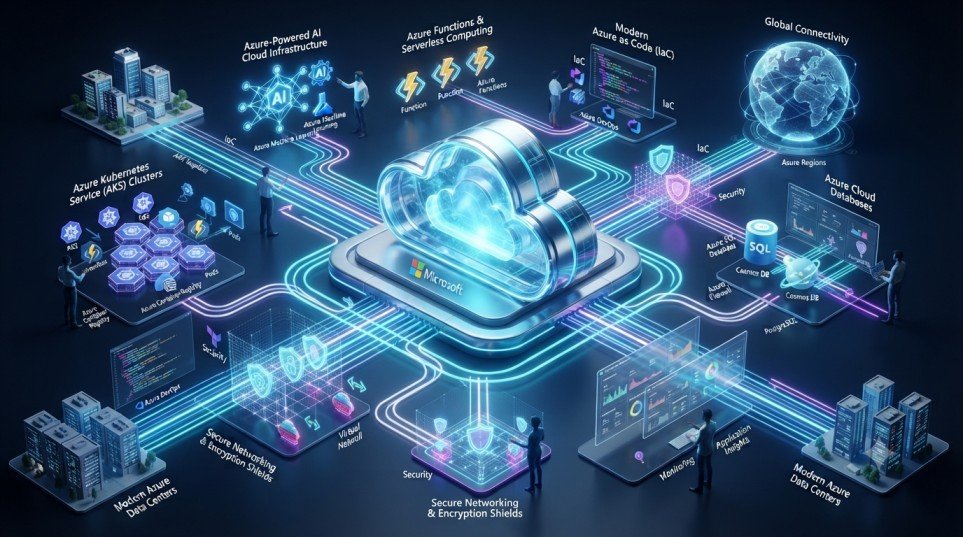
Azure Services Cloud computing has become the backbone of modern business innovation, enabling organizations to build scalable, secure, and intelligent applications. Among the leading cloud platforms, Microsoft Azure stands out with a comprehensive portfolio of cloud solutions designed for enterprises, startups, and developers alike.
Understanding Azure services is essential for IT professionals, developers, cloud architects, and businesses looking to modernize their infrastructure. From virtual machines and container orchestration to serverless computing, cloud storage, networking, databases, and security, Azure offers everything required to accelerate digital transformation.
This guide explores the most important Azure services, their features, real-world applications, benefits, challenges, future trends, and the impact of the Azure services on organizations worldwide.
Table of Contents
Why Microsoft Azure is a Leading Cloud Platform
Microsoft Azure has become one of the most trusted cloud providers because it offers:
- Global cloud infrastructure
- Enterprise-grade security
- Seamless Microsoft ecosystem integration
- Hybrid and multi-cloud capabilities
- AI-powered cloud services
- Flexible pay-as-you-go pricing
- High availability and disaster recovery
Businesses across industries rely on Azure services to improve operational efficiency, enhance security, and support innovation.
Essential Azure Services Explained
1. Azure Virtual Machine
Azure Virtual Machine (VM) provides scalable virtual servers for hosting applications, databases, and enterprise workloads.
Key Features
- Windows and Linux virtual machines
- Auto Scaling
- High Availability
- GPU-enabled instances
- Backup and disaster recovery
Common Use Cases
- Enterprise applications
- Development and testing
- Web hosting
- AI and machine learning workloads
- Legacy application migration
Example
An online retail company deploys multiple Azure Virtual Machines to handle increased traffic during seasonal sales.
2. Azure Kubernetes Service (AKS)
Azure Kubernetes Service (AKS) simplifies the deployment, management, and scaling of containerized applications.
Benefits
- Fully managed Kubernetes
- Automatic upgrades
- Integrated monitoring
- High availability
- Easy scaling
Best For
- Microservices
- CI/CD pipelines
- Enterprise container platforms
- Cloud-native applications
3. Azure Functions
Azure Functions is Microsoft’s serverless computing platform that allows developers to run code without managing servers.
Features
- Event-driven execution
- Automatic scaling
- Pay-per-use pricing
- Quick deployment
- Integration with Azure services
Popular Applications
- API backends
- Scheduled automation
- File processing
- IoT data handling
- Workflow automation
4. Azure Blob Storage
Blob Storage provides highly scalable object storage for unstructured data.
Capabilities
- Unlimited scalability
- Secure storage
- Lifecycle management
- Data redundancy
- Hot, Cool, and Archive tiers
Typical Uses
- Media files
- Data backups
- Website assets
- Big data analytics
- Disaster recovery
5. Azure Virtual Network (VNet)
Azure Virtual Network enables secure communication between Azure resources and on-premises environments.
Features
- Private networking
- Subnets
- VPN Gateway
- Network Security Groups
- Hybrid cloud connectivity
Organizations use Virtual Network to build secure cloud infrastructures while maintaining network isolation.
6. Azure SQL Database
Azure SQL Database is a fully managed relational database service.
Advantages
- Automatic backups
- Built-in intelligence
- High availability
- Automatic patching
- Advanced security
Ideal Applications
- Business applications
- Financial systems
- ERP software
- CRM platforms
7. Azure Cosmos DB
Azure Cosmos DB is Microsoft’s globally distributed NoSQL database.
Highlights
- Millisecond latency
- Multi-region replication
- Automatic scaling
- Multiple APIs
- High availability
Use Cases
- Gaming
- IoT
- E-commerce
- Real-time analytics
- Mobile applications
8. Azure Service Bus
Azure Service Bus enables reliable messaging between distributed applications.
Features
- Message queues
- Publish/subscribe model
- Dead-letter queues
- Ordered messaging
- Enterprise messaging
Business Example
An e-commerce platform uses Service Bus to coordinate order processing, inventory updates, and shipping notifications.
9. Azure Monitor
Azure Monitor provides end-to-end monitoring for cloud and hybrid applications.
Capabilities
- Metrics collection
- Log Analytics
- Application Insights
- Alerts
- Dashboards
Azure Monitor helps operations teams proactively detect and resolve performance issues.
10. Azure Resource Manager (ARM)
Azure Resource Manager simplifies infrastructure deployment using Infrastructure as Code (IaC).
Benefits
- Template-based deployment
- Resource grouping
- Role-based access
- Automation
- Consistent environments
11. Microsoft Entra ID (formerly Azure Active Directory)
Microsoft Entra ID provides identity and access management for cloud and enterprise applications.
Security Features
- Single Sign-On (SSO)
- Multi-Factor Authentication (MFA)
- Conditional Access
- Identity Protection
- Role-Based Access Control (RBAC)
It ensures secure authentication and centralized identity management across cloud environments.
12. Azure Key Vault
Azure Key Vault securely stores and manages sensitive information.
Features
- Secrets management
- Encryption keys
- Certificates
- Hardware Security Module (HSM) support
- Automatic key rotation
Common Uses
- API keys
- Database credentials
- SSL certificates
- Encryption key management
How Azure Services Work Together
Azure provides a unified cloud ecosystem where services integrate seamlessly.
Example Cloud Architecture
- Users access applications hosted on Azure Virtual Machine
- Containerized workloads run on Azure Kubernetes Service (AKS)
- Background tasks execute using Azure Functions
- Files are stored in Azure Blob Storage
- Applications communicate through Azure Service Bus
- Relational data resides in Azure SQL Database
- Global NoSQL workloads use Azure Cosmos DB
- Networking is secured by Azure Virtual Network
- Monitoring is handled through Azure Monitor
- Infrastructure is deployed with Azure Resource Manager
- Authentication is managed by Microsoft Entra ID
- Sensitive information is protected using Azure Key Vault
This integrated architecture demonstrates the impact of the Azure services in building secure, scalable, and resilient cloud solutions.
Benefits of Learning Azure Services
Professionals with Azure expertise are highly sought after across industries.
Key Benefits
- High-demand cloud career opportunities
- Strong DevOps and cloud engineering skills
- Better understanding of hybrid cloud environments
- Improved infrastructure automation
- Enhanced cloud security knowledge
- Competitive salaries
Future Trends in Azure Services
The future of technology is being shaped by AI, automation, and cloud innovation. Microsoft continues to enhance Azure with cutting-edge capabilities.
AI-Powered Cloud Operations
AI-driven monitoring, predictive analytics, and automated resource optimization will simplify cloud management.
Growth of Serverless Computing
Azure Functions will become increasingly important for scalable, event-driven applications.
Expansion of Kubernetes
AKS adoption will accelerate as enterprises embrace microservices and cloud-native architectures.
Zero Trust Security
Identity-first security, advanced threat detection, and secure access controls will strengthen cloud protection.
Sustainable Cloud Infrastructure
Microsoft is investing in energy-efficient data centers and carbon-negative initiatives to support environmentally responsible cloud computing.
These advancements position Azure services at the forefront of the future of technology and global digital transformation.
Challenges of Using Azure Services
Although Azure offers significant advantages, organizations may encounter several challenges.
Cost Optimization
Improper resource sizing and unused services can increase cloud expenses.
Learning Curve
Azure provides hundreds of services that require ongoing learning and expertise.
Security Configuration
Incorrect identity, networking, or access settings may expose cloud resources to risks.
Migration Complexity
Migrating legacy systems to Azure often requires careful planning and testing.
Opportunities for Businesses
Organizations leveraging Azure services can unlock substantial business value.
Key Opportunities
- Faster application development
- Enterprise-grade security
- Global scalability
- AI-powered innovation
- Reliable disaster recovery
- Improved customer experiences
- Automated infrastructure management
- Reduced operational costs
As businesses continue their digital transformation journey, Azure will remain a key enabler of innovation and business agility.
Conclusion
Microsoft Azure has evolved into a comprehensive cloud platform that supports everything from virtual machines and container orchestration to serverless computing, databases, networking, and advanced security. Mastering Azure services empowers professionals and organizations to build scalable, secure, and intelligent cloud solutions.
Whether you’re deploying applications with Azure Virtual Machine, managing containers using AKS, developing serverless solutions with Azure Functions, securing identities through Microsoft Entra ID, or protecting secrets with Azure Key Vault, Azure provides the tools needed to thrive in today’s cloud-first world.
As cloud adoption continues to grow, Azure services will play a vital role in shaping the future of technology, accelerating digital transformation, and enabling businesses to innovate with confidence.