
Introduction
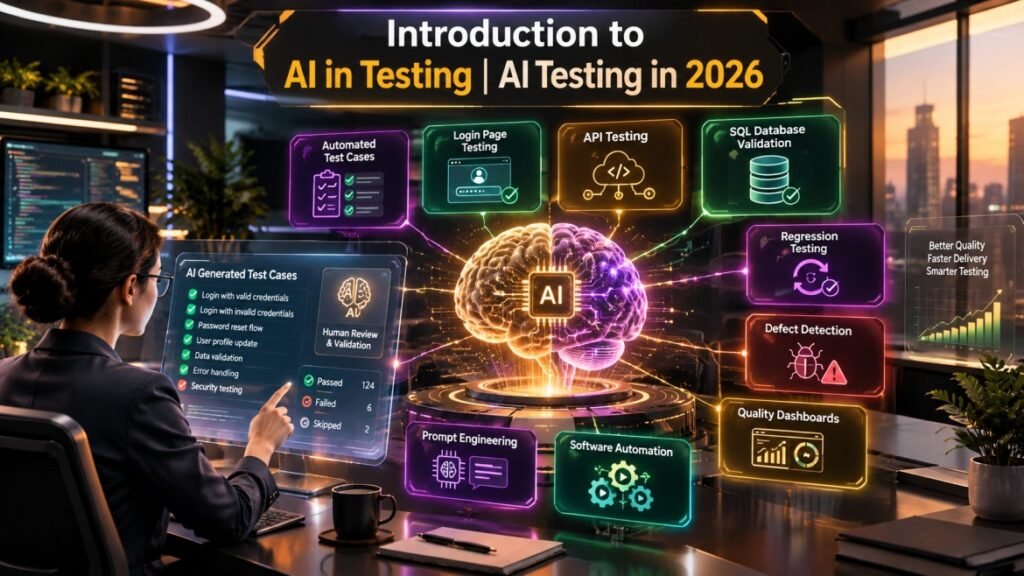
Software testing is entering a new phase where artificial intelligence is becoming a practical assistant for testers, QA engineers, and quality engineering teams. From generating test scenarios to improving test documentation and identifying potential edge cases, AI in Testing is changing how software quality activities are planned and executed.
However, using AI does not mean simply entering a short instruction into an AI tool and accepting whatever result it produces. Effective AI in Testing requires context, clear prompts, human validation, and a strong understanding of application requirements.
Imagine testing a modern login page. A tester could ask an AI tool to generate positive, negative, and edge-case scenarios. The result might be produced within seconds. But are those test cases actually aligned with the application’s authentication rules? Does the application use email authentication, OTP verification, social login, passwordless authentication, or multiple methods?
This is where the real value of AI in Testing begins.
In 2026, testers are increasingly learning how to combine domain knowledge with AI capabilities rather than treating AI as a replacement for testing expertise. This approach can improve productivity while keeping human judgment at the center of quality engineering.
Table of Contents
What Is AI in Testing?
AI in Testing refers to the use of artificial intelligence and machine learning capabilities to support different activities across the software testing lifecycle.
Depending on the tool and implementation, AI can assist with:
- Test case generation
- Test scenario identification
- Test data creation
- Requirement analysis
- Defect analysis
- API testing assistance
- Test script generation
- Regression testing
- Test documentation
- Test prioritization
- Test result analysis
- Exploratory testing support
- Risk identification
The objective is not to allow AI to make every testing decision. Instead, AI in Testing can act as an intelligent assistant that helps testers perform repetitive and analysis-heavy activities faster.
Why AI in Testing Matters in 2026
Software applications are becoming more complex because of cloud computing, APIs, microservices, mobile applications, artificial intelligence, continuous delivery, and distributed architectures.
Traditional testing approaches can struggle when teams need to validate frequent releases across multiple platforms.
The impact of AI in Testing can be particularly visible in areas where testers spend significant time creating, maintaining, and analyzing testing information.
For example, a tester may spend considerable time converting requirements into test scenarios. An AI assistant can create an initial set of scenarios within seconds. The tester can then review the output, identify missing business rules, modify the scenarios, and convert them into executable tests.
This changes the tester’s role from simply producing test cases to reviewing, reasoning, validating, and improving AI-assisted testing outputs.
A Real-World Example: Testing a Login Page
Consider a web application containing a login page.
A tester needs to validate:
- Valid username and password
- Invalid credentials
- Empty fields
- Incorrect password
- Invalid email format
- Password length
- Account lockout
- OTP verification
- Expired OTP
- Multiple failed login attempts
- Session management
- Password reset
- Security-related scenarios
A basic AI prompt could be:
“Generate test cases for a login page.”
The AI may immediately generate a list of positive and negative scenarios.
This is useful, but it is not enough for professional AI in Testing.
Why?
Because the AI does not automatically know the application’s actual business rules.
The Problem With Generic AI Prompts
A generic prompt might produce technically reasonable test cases, but those cases could be irrelevant to the actual application.
For example, suppose the application has:
- Email-based authentication
- Six-digit OTP verification
- OTP expiration after two minutes
- Maximum three OTP attempts
- Account lockout after five failed passwords
- Password minimum length of 12 characters
If the tester only asks an AI tool for “login test cases,” the output may not consider these rules.
This demonstrates an important principle:
AI output is only as useful as the context provided to it.
Generic prompts can provide a starting point, but professional testing requires application-specific information.
Prompt Engineering for AI in Testing
Prompt engineering is one of the most important skills for testers working with AI.
Instead of asking:
“Create login test cases.”
A more useful prompt could specify:
“Create functional test scenarios for a web application’s login module. The application uses email and password authentication followed by a six-digit OTP. The OTP expires after two minutes and users have a maximum of three OTP attempts. The account is temporarily locked after five incorrect password attempts. Include positive, negative, boundary, validation, security, and usability scenarios.”
The second prompt provides considerably more context.
The resulting output can therefore become more relevant to the application’s requirements.
How to Improve an AI Prompt Using AI
One interesting technique in AI in Testing is asking the AI itself to improve the prompt.
Instead of immediately requesting test cases, a tester can ask:
“Review this testing prompt and identify missing information that would help generate more accurate test cases. Suggest an improved prompt and explain what additional application context should be included.”
The AI can then identify missing areas such as:
- Authentication mechanism
- User roles
- Validation rules
- Security requirements
- Error messages
- Session timeout
- Password policies
- OTP behavior
- Browser or device requirements
- Accessibility requirements
This creates an iterative testing workflow.
Step 1: Create a basic prompt
Start with the basic testing requirement.
Step 2: Ask AI to improve the prompt
Request missing information and better output structure.
Step 3: Add project-specific context
Provide business rules, technical information, and validation criteria.
Step 4: Generate test scenarios
Ask the AI to produce positive, negative, boundary, security, and edge cases.
Step 5: Review the results
Compare the AI-generated scenarios with actual requirements.
Step 6: Refine the output
Modify, remove, or add scenarios where necessary.
This iterative process makes AI in Testing much more effective than one-shot prompting.
Ask AI to Generate Structured Test Cases
Another useful practice is controlling the output format.
Instead of simply asking for test scenarios, testers can request a structured table containing:
| Test Case ID | Test Scenario | Preconditions | Steps | Test Data | Expected Result |
|---|---|---|---|---|---|
| TC-001 | Valid login | Registered user exists | Enter valid credentials | Valid email/password | User successfully logs in |
| TC-002 | Invalid password | Registered user exists | Enter incorrect password | Incorrect password | Appropriate error is displayed |
| TC-003 | Empty password | Login page available | Enter email without password | Blank password | Password validation appears |
| TC-004 | Expired OTP | Valid OTP was generated | Enter OTP after expiration | Expired OTP | OTP is rejected |
Structured output makes AI-generated information easier to review and transfer into testing systems.
The tester can also request additional columns such as:
- Priority
- Severity
- Requirement ID
- Test type
- Risk
- Automation candidate
- Expected API response
- Database validation
This is an important productivity benefit of AI in Testing.
AI in Testing Does Not Replace the Tester
One of the most important lessons for 2026 is that testers should not blindly trust AI-generated results.
AI can produce:
- Incorrect assumptions
- Duplicate test cases
- Irrelevant scenarios
- Missing business rules
- Incorrect expected results
- Incomplete edge cases
- Outdated technical assumptions
- Hallucinated application behavior
Therefore, human validation remains essential.
A tester should ask:
- Does this test case match the requirement?
- Is the expected result technically correct?
- Does the scenario represent an actual business rule?
- Are important edge cases missing?
- Is the test data realistic?
- Does the test violate any security or privacy requirements?
- Can the scenario actually be executed in the application?
The tester remains accountable for the quality of the final test suite.
Best Practices for AI in Testing
1. Give AI Sufficient Context
Include relevant information about:
- Application type
- Business domain
- User roles
- Authentication mechanism
- Functional requirements
- Validation rules
- APIs
- Database behavior
- Security requirements
More relevant context generally produces more useful output.
2. Do Not Treat AI Output as Final
AI-generated test cases should be treated as a draft.
Review and refine them before adding them to an official test repository.
3. Use Domain Knowledge
A tester with knowledge of insurance, banking, healthcare, e-commerce, or another domain can identify requirements that a generic AI model may miss.
Domain expertise and AI should complement each other.
4. Request Specific Output Formats
Tables and structured formats make test cases easier to review.
5. Include Negative and Boundary Testing
Do not focus only on happy-path scenarios.
Ask AI specifically for:
- Negative tests
- Boundary tests
- Exception scenarios
- Security scenarios
- Compatibility scenarios
- Recovery scenarios
- Concurrency scenarios
6. Validate With Requirements
Requirements remain the source of truth.
AI should support requirement analysis rather than replace it.
Applications of AI in Testing
The potential applications of AI in Testing extend far beyond test case generation.
Requirement Analysis
AI can analyze requirements and identify potentially ambiguous or incomplete statements.
Test Case Generation
AI can create initial test scenarios based on functional requirements.
API Testing
AI can help testers understand API specifications, generate test scenarios, construct requests, and identify possible validation points.
SQL and Database Testing
AI assistants can help generate SQL queries, validation logic, and database test scenarios.
Regression Testing
AI-based approaches can help prioritize regression tests based on code changes, historical failures, and risk.
Defect Analysis
AI can summarize defect information and identify patterns across previous defects.
Test Documentation
AI can help transform requirements and testing notes into structured documentation.
Automation Assistance
AI coding assistants can help generate initial automation scripts that testers can subsequently review and modify.
AI in Testing and Digital Transformation
The growth of AI in Testing is closely connected to broader digital transformation.
Organizations are moving toward:
- Cloud-native applications
- DevOps
- Continuous integration
- Continuous delivery
- Microservices
- API-first architectures
- Data-driven applications
- AI-powered products
Testing must evolve alongside these technologies.
The impact of AI in Testing may therefore extend beyond faster test-case creation. It can influence how quality teams plan testing, analyze risk, maintain automation, and collaborate with development teams.
Quality engineering is increasingly becoming a continuous activity rather than something performed only before a release.
Challenges of AI in Testing
Despite its potential, AI-based testing introduces several challenges.
Accuracy
AI-generated information can be incorrect and must be validated.
Context Limitations
Without sufficient application and business context, AI may produce generic scenarios.
Security and Privacy
Sensitive requirements, customer information, credentials, and proprietary source code should be handled according to organizational security policies.
Test Maintenance
AI-generated automation scripts may still require maintenance when applications change.
Overdependence on AI
Excessive dependence can reduce critical thinking if testers stop questioning AI-generated results.
Skill Gap
Testers need new capabilities involving prompt engineering, AI-assisted automation, data analysis, and AI quality evaluation.
Future of AI in Testing
The future of software quality engineering is likely to involve deeper collaboration between testers, automation frameworks, and AI systems.
Future AI-powered testing platforms may increasingly support:
- Requirement-to-test generation
- Intelligent test prioritization
- Autonomous test execution
- AI-assisted exploratory testing
- Predictive defect analysis
- Intelligent test-data generation
- Self-healing automation
- Visual validation
- API behavior analysis
- Risk-based regression selection
- Natural-language testing interfaces
However, future progress will still depend on trustworthy validation, explainability, security, and human oversight.
The most valuable testers may not be those who simply use the largest number of AI tools. They will be professionals who understand how to combine testing fundamentals, domain expertise, automation, data, and AI.
Opportunities for Software Testers in 2026
The growth of AI in Testing creates opportunities for testers to expand their skill sets.
A traditional manual tester can gradually learn:
- AI-assisted testing
- Prompt engineering
- API testing
- SQL testing
- Test automation
- AI-based test generation
- Data validation
- LLM testing
- Generative AI testing
- AI response evaluation
- Quality engineering
For experienced QA professionals, this transition can create opportunities in emerging areas such as AI Quality Engineer, AI Test Engineer, LLM Tester, Generative AI QA Engineer, and AI Quality Analyst.
The goal should not be to abandon traditional testing skills. Instead, testers should build AI capabilities on top of strong testing fundamentals.
A Practical AI Testing Workflow
A practical workflow for AI in Testing can look like this:
Requirement → Context → Prompt → AI Output → Human Review → Refinement → Execution → Feedback
For example:
- Read the login requirement.
- Identify business rules.
- Create an initial AI prompt.
- Ask AI to improve the prompt.
- Generate test scenarios.
- Review the scenarios against requirements.
- Add missing edge cases.
- Convert suitable scenarios into test cases.
- Execute the tests.
- Feed useful feedback into the next testing cycle.
This approach keeps the tester involved at every important decision point.
Example: Improved Login Testing Prompt
A reusable prompt could be:
Act as a senior software test engineer. Analyze the following login requirements and create comprehensive functional and non-functional test scenarios. The application is a web platform using email/password authentication followed by OTP verification. OTP expires after two minutes and allows three attempts. Five consecutive incorrect passwords temporarily lock the account. Cover positive, negative, boundary, security, usability, compatibility, session-management, and error-handling scenarios. Return the results in a table with Test Case ID, Scenario, Preconditions, Steps, Test Data, Expected Result, Priority, and Test Type. Do not assume business rules that are not provided. Clearly identify any missing information required for complete testing.
This type of prompt provides substantially more direction than a generic request.
Key Takeaways
AI in Testing is becoming an important capability for modern QA and quality engineering teams.
The most important lessons are:
- AI can accelerate test-design activities.
- Generic prompts often produce generic results.
- Context significantly improves AI-generated testing output.
- Prompt engineering is becoming a useful tester skill.
- AI can help identify scenarios, but testers must validate them.
- Requirements and business rules remain the source of truth.
- AI-generated test cases should be reviewed before execution.
- Structured prompts can produce more usable test documentation.
- Human reasoning remains essential for complex testing decisions.
- Continuous learning will become increasingly important as AI capabilities evolve.
Conclusion
AI in Testing is not simply about asking an AI tool to generate hundreds of test cases. Its real value comes from combining artificial intelligence with testing expertise, business context, structured prompting, and human validation.
A generic prompt can provide a starting point, but a context-rich prompt can produce considerably more relevant testing information. Asking AI to improve its own prompt can further strengthen the workflow by revealing missing requirements and creating a more structured testing approach.
As digital transformation accelerates, the impact of AI in Testing will continue to expand across functional testing, API testing, database validation, automation, regression testing, defect analysis, and quality engineering.
The future belongs to a collaborative model in which AI handles more repetitive and analysis-intensive work while testers focus on critical thinking, risk assessment, business understanding, exploratory investigation, and quality decisions.
For software testers in 2026, learning how to use AI responsibly is therefore not just about adopting another tool. It is about developing a modern testing mindset in which technology and human expertise work together to deliver better software quality.